




Welcome to

Source helps therapists manage their practice with less admin and more focus on client care.
With Source you can:
- Manage bookings and availability
- Accept secure online payments
- Reduce scheduling and payment admin
- Provide a professional client booking experience
Source supports your practice so you can focus on your work.
Features for Psychologists and Psychiatrists will be available in future releases of Source. Limited numbers of Psychologists and Psychiatrists are currently available on Source.
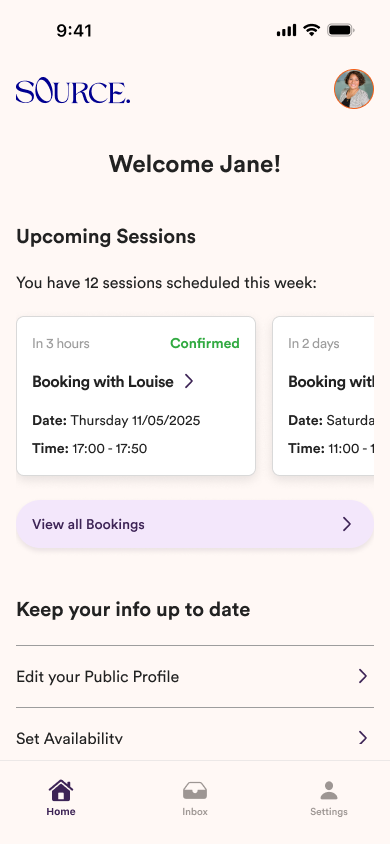


Download the Source app
Before starting, make sure you have the mobile app installed on your device.
Step 1:
Sign Up on Source
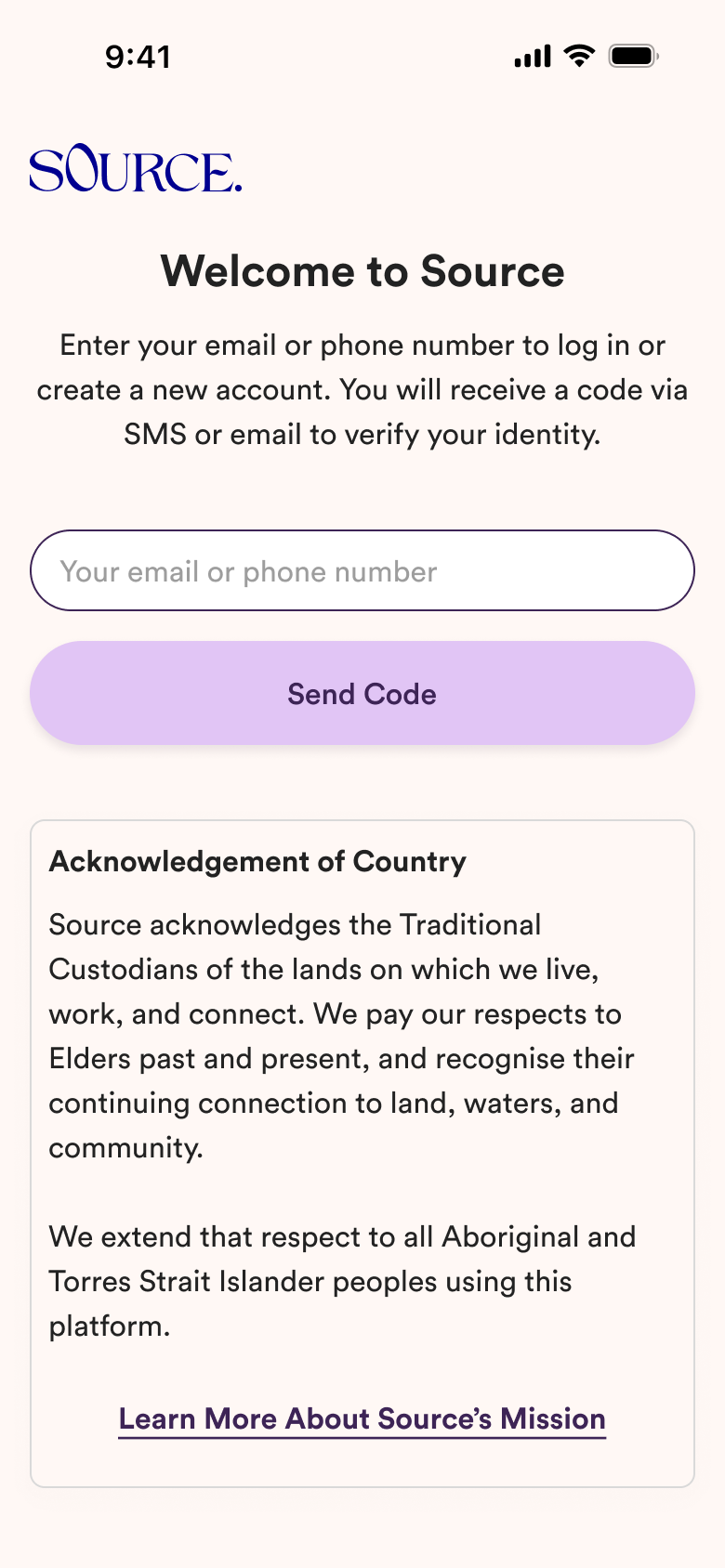
Enter your email or phone number to get started
Verify your identity with the code we'll send you.
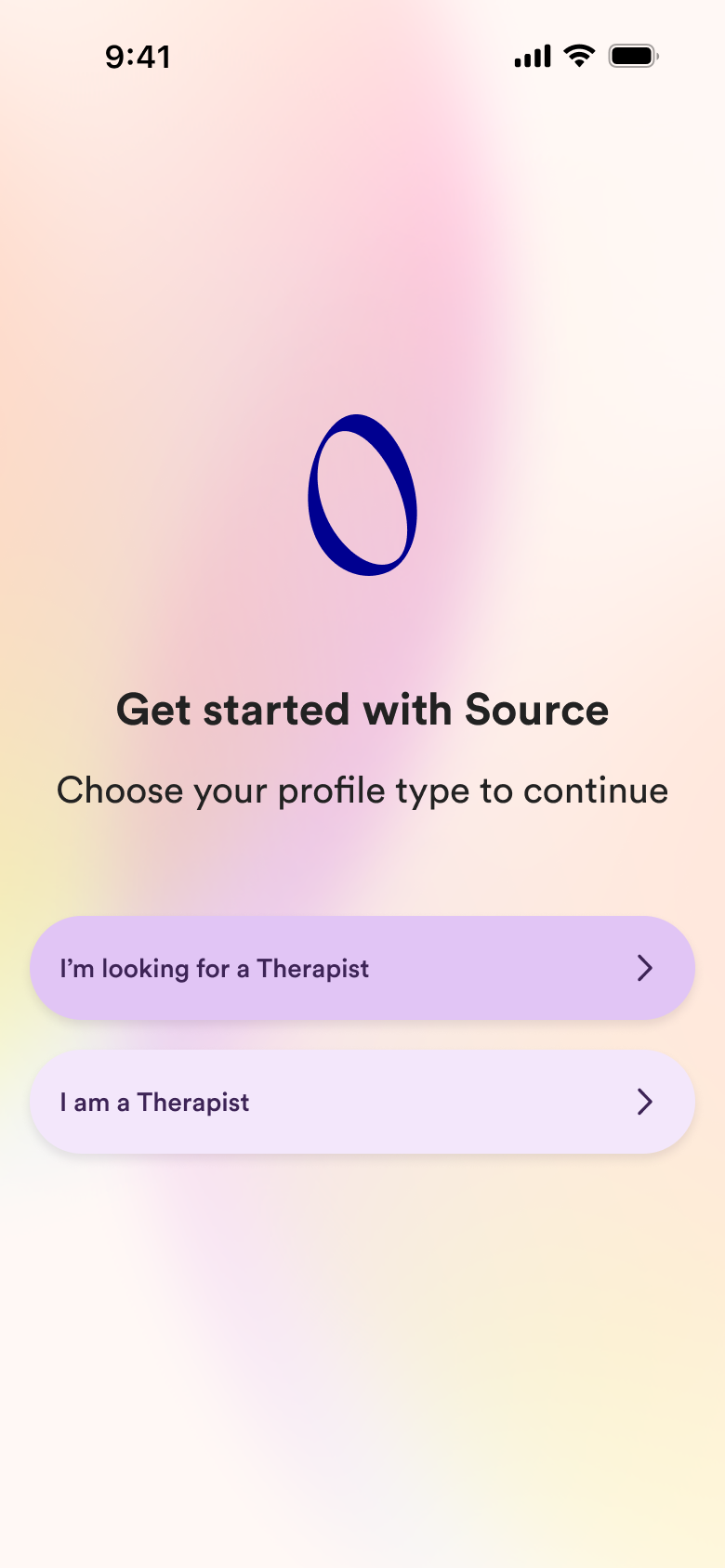
Choose your account type
Tap "I'm a therapist" to set up your profile and start being seen by clients.
Step 2:
Create your Therapist Profile
Your profile will appear in client searches. To build trust, you'll be asked to add:

Personal information
- First and last name
- Email address
- Mobile number
- Time zone
- Profile photo

Session & clinic details
- Therapist type
- Therapy specialisations
- Therapeutic modalities
- Session formats (in-person, online, walking therapy)
- Clinic locations

Education & Professional Registration
- Education and qualifications
- Professional registration details
- Medicare / other health insurance info (if applicable)

Identity & Registration Verification
- Identity verification
- Professional registration verification
This ensures a trusted and safe platform for both therapists and clients.

Optional (extra info to enhance your profile)
- Work experience and background
- Custom prompts
- Testimonials from previous clients
Step 3:
Set your General Availability
Define your overall working hours for all sessions:
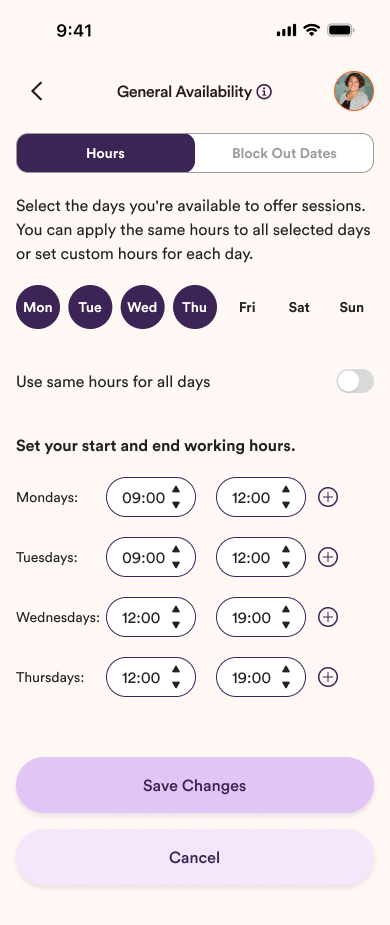

Weekly availability – select the days you normally work

Working hours – choose start and end times for each day

Block unavailable times – mark exceptions if needed

Optional: connect your external calendar to keep availability automatically synced
This sets your default availability. You'll refine session-specific availability in Step 4.
Step 4:
Set your Session Details
Configure the types of sessions you offer and define the details clients will see when booking. Customising these details helps make your offerings and client experience as tailored and flexible as possible.
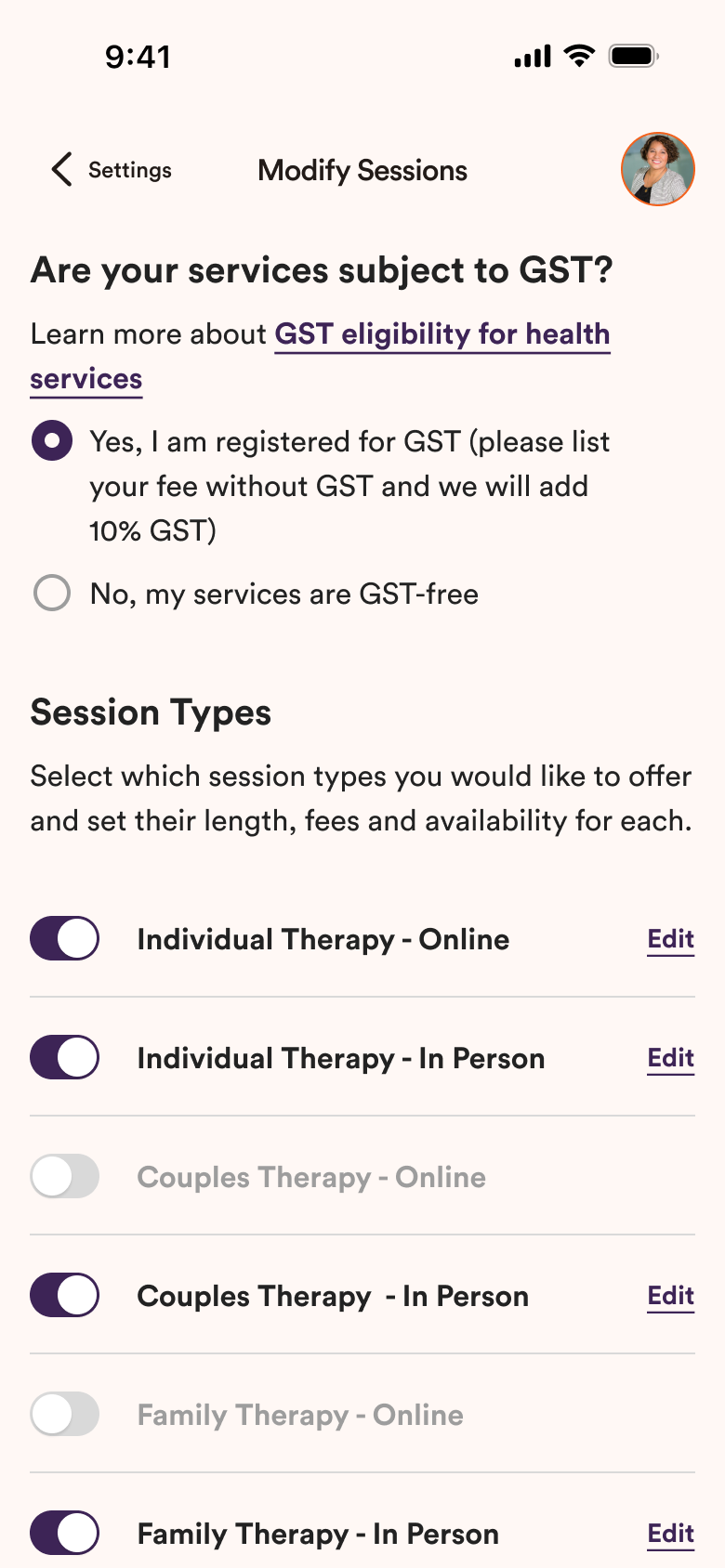
Select your Session Types
Choose which types of sessions you would like to offer to your clients.
On this step you will also be asked about GST for your services.
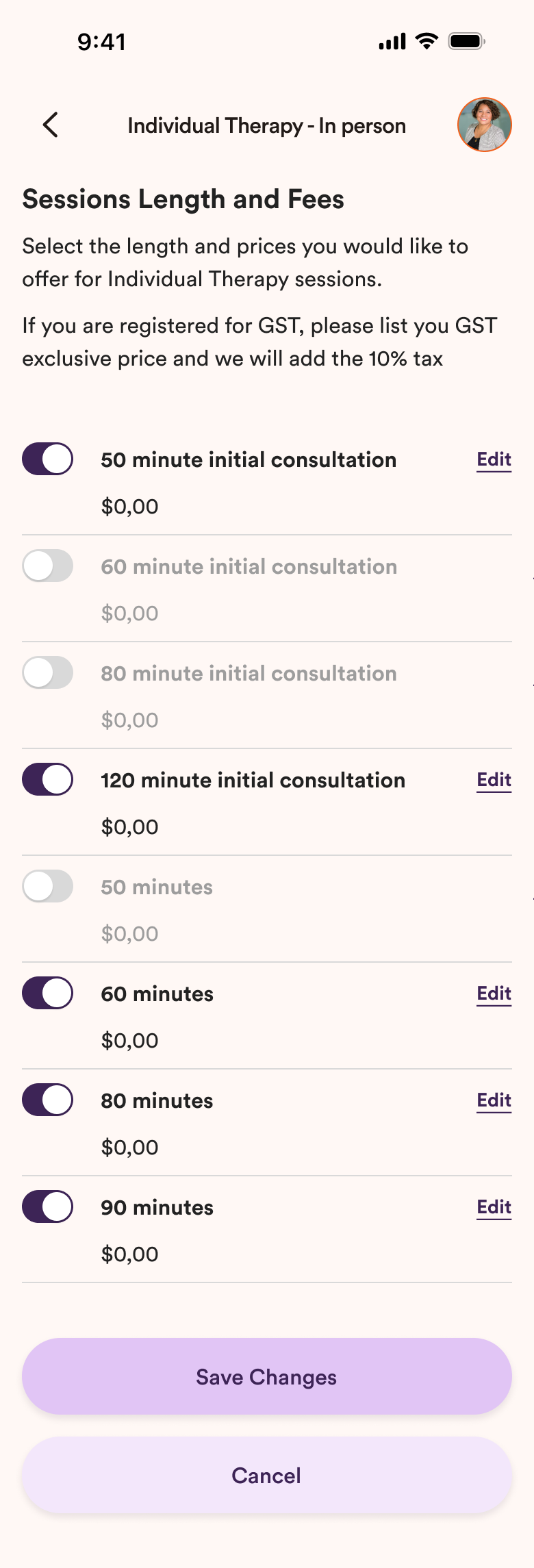
Session Length and Fees
For each session type, define how long the session lasts and the price clients will pay.
These can be adjusted individually for each session type.
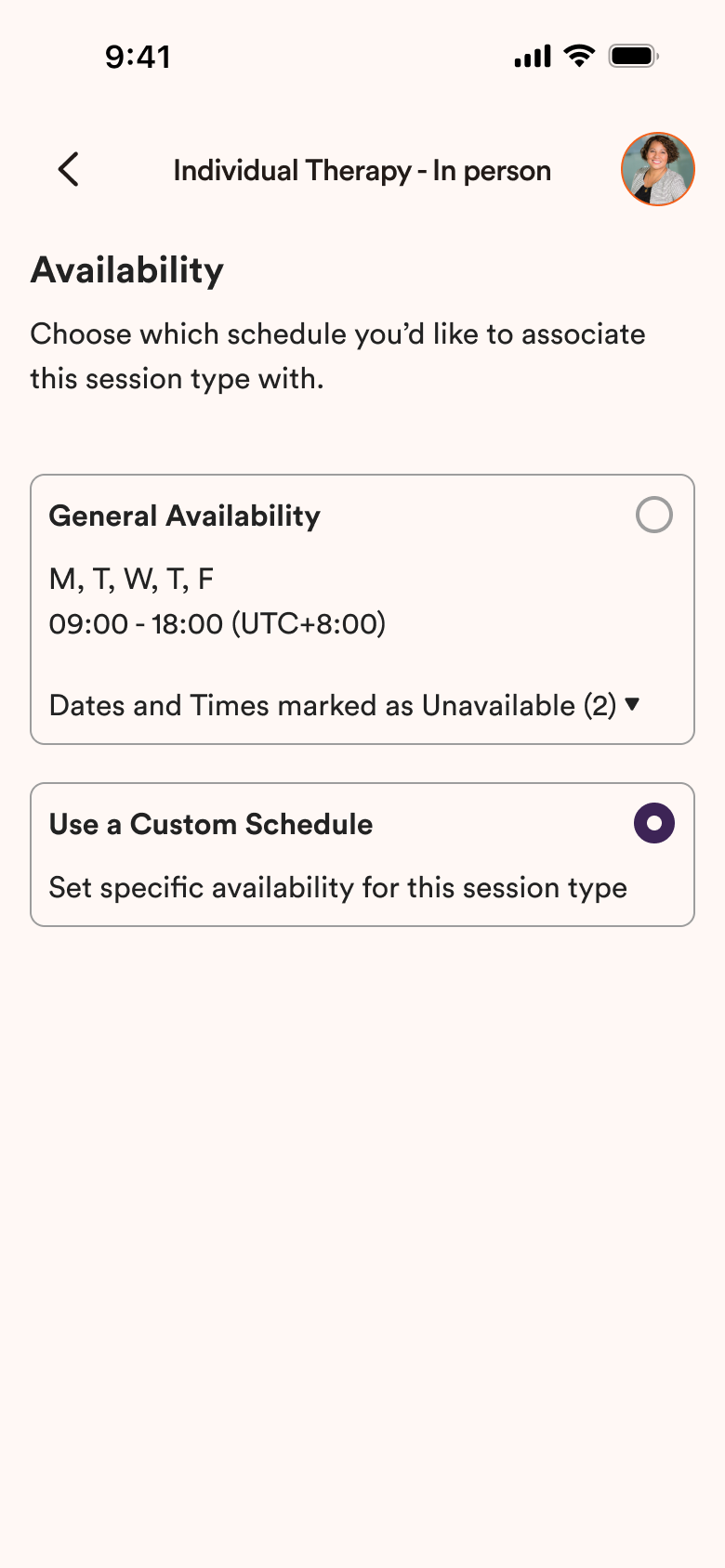
Availability per Session Type
You can customise availability for each session type. By default, sessions follow your general availability, but you can create specific schedules if needed.
This allows you to offer different hours depending on the type of session.
Step 5:
Add Payment Details
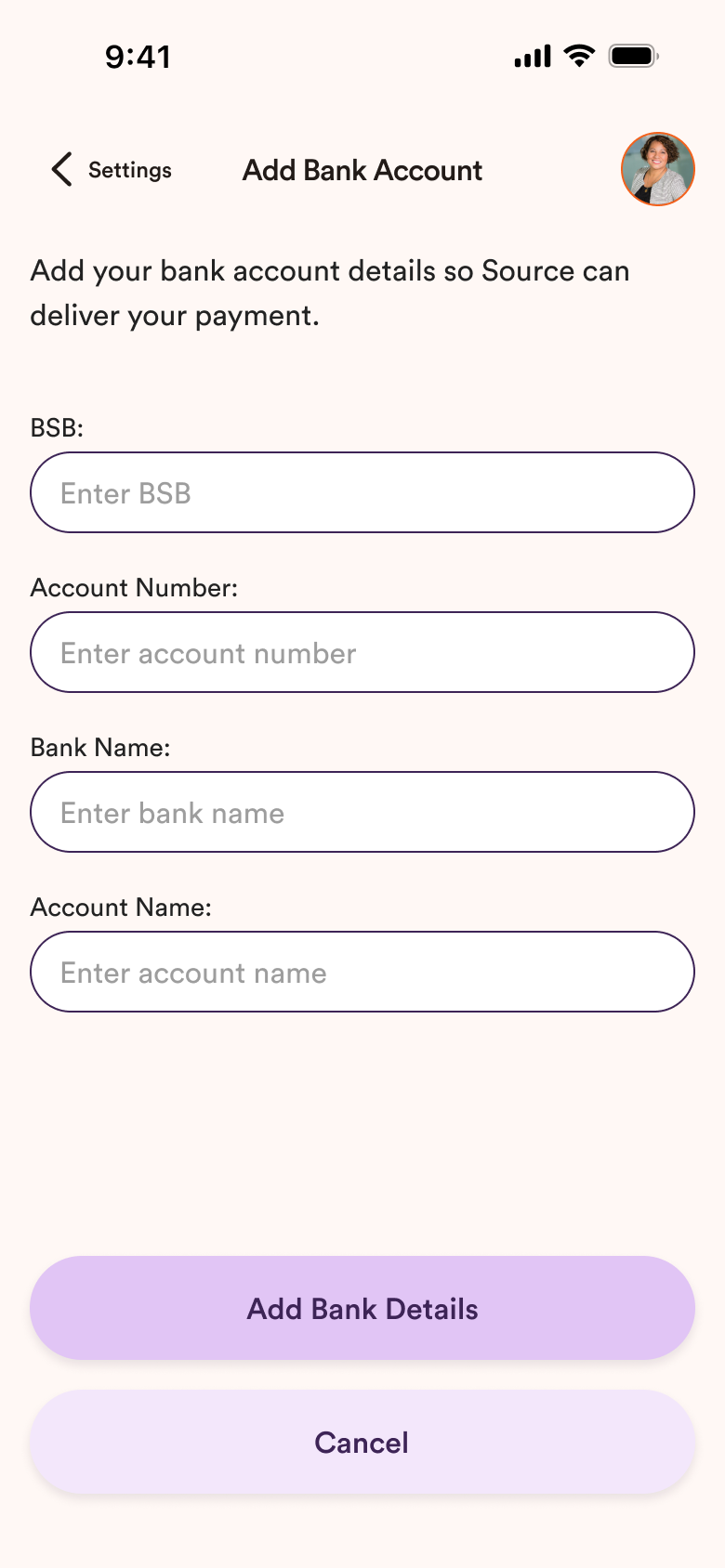
To receive payments from sessions, you will need to add your bank account details.
Payments are processed securely via Stripe.
Stripe handles:
- Payment processing
- Refunds
- Payouts to your bank account
Your session payments will be transferred to your bank account once sessions are completed.
This feature will be available for Psychologists and Psychiatrists in future releases of Source.
Step 6:
Profile Review & Approval
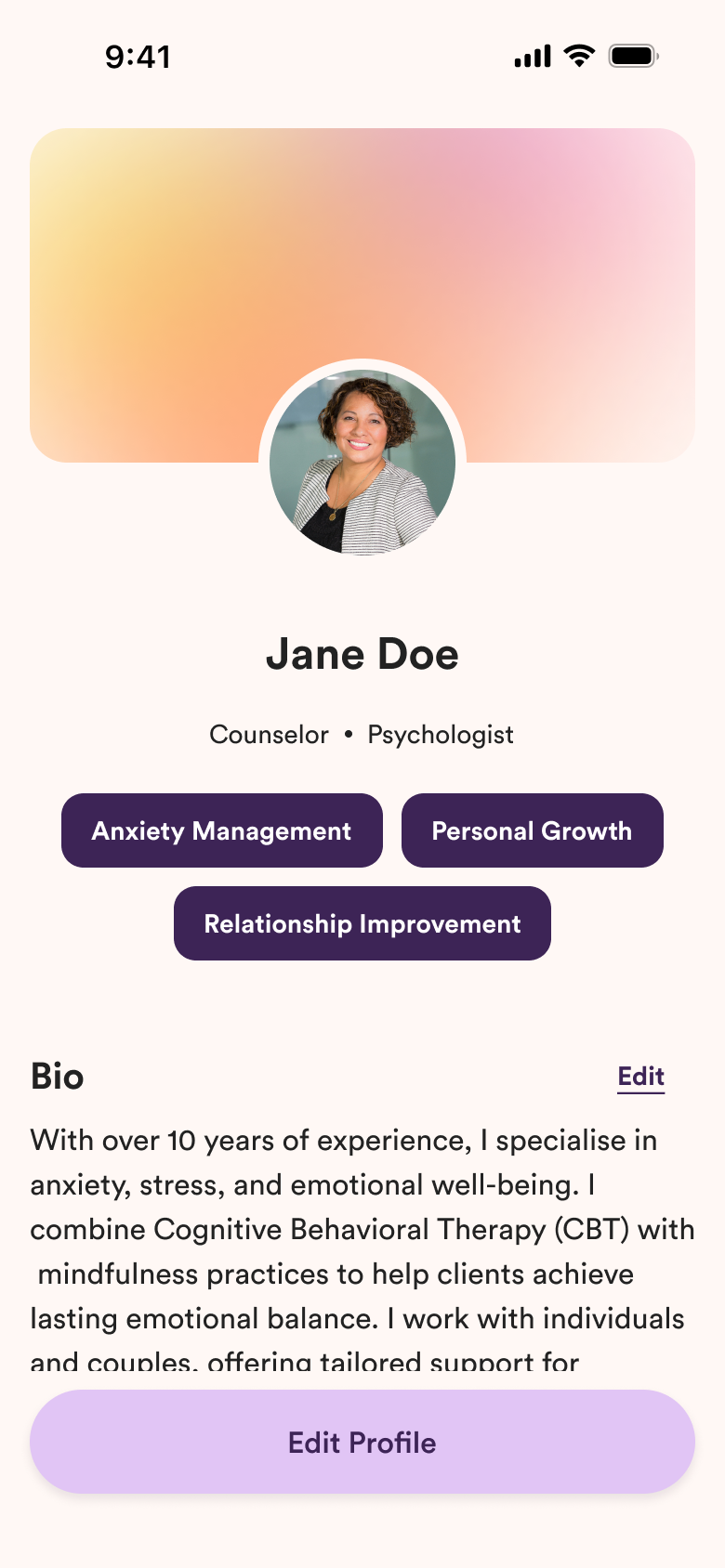
Before your profile becomes visible to clients, the Source team will review your information.
This includes:
- Identity verification
- Professional registration verification
- Profile information review
Once approved:
Your profile will appear in client searches and you can start receiving bookings.

You're all set now.
Once your profile is approved, clients will be able to discover your profile and book sessions through Source.